In this module you will learn how to use the Drill-Down Donut Chart. The Drill-Down Donut Chart allows you to visualize categorical data in an

In this module you will learn how to use the Drill-Down Donut Chart. The Drill-Down Donut Chart allows you to visualize categorical data in an

In this module you will learn how to use the Hierarchy Chart. The Hierarchy Chart displays hierarchical data in a tree format. Module 98 –

Welcome to a new series that Manuel Quintana [Blog | Twitter] and I are starting where we will cover some of the top Power BI

In this module you will learn how to use the Enlighten Data Story. The Enlighten Data Story allows you to tell a simple story with

In this module you will learn how to use the Enlighten Waffle Chart. The Enlighten Waffle Chart is a simple way to visualize a percentage

In this module you will learn how to use the VitaraCharts – MicroChart. The VitaraCharts – MicroChart provides a intuitive way to look at multiple

In this module you will learn how to use the Count Down Timer. The Count Down Timer is a very simple visual that counts towards

In this module you will learn how to use the Mapbox Visual. The Mapbox Visual allows you to visualize geographical data while including multiple layers

In this module you will learn how to use the KPI Indicator Custom Visual by MAQ Software. The KPI Ticker displays frequently changing metrics with

In this module you will learn how to use the Smart Filter by OKViz. The Smart Filter works similar to a traditional slicer in Power
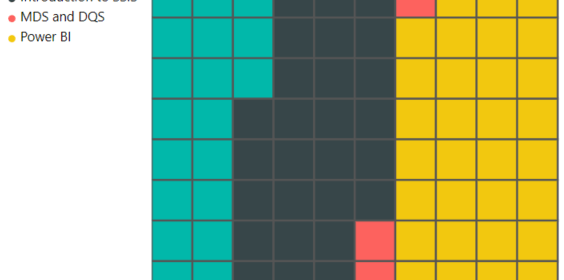
In this module you will learn how to use the Brick Chart by MAQ Software. The Brick Chart provides a simple method for highlighting your
Recently I took and passed the Microsoft certification exam 70-778 for Power BI called Analyzing and Visualizing Data with Microsoft Power BI. I’ve taken Microsoft

In this module you will learn how to use the Filter by List Custom Visual. The Filter by List allows you to easily copy and

In this module you will learn how to use the Pulse Chart Custom Visual. The Pulse Chart can easily display trends in your data and
 Devin Knight