In this module you will learn how to use the Icon Map. The Icon Map allows you to display your geographical data on a map
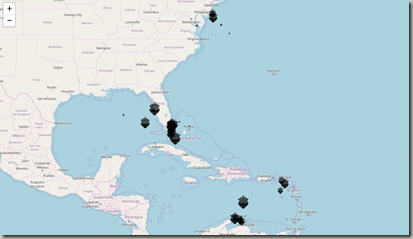
In this module you will learn how to use the Icon Map. The Icon Map allows you to display your geographical data on a map
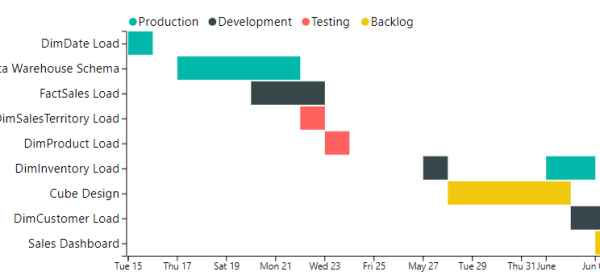
In this module you will learn how to use the as Timeline visual. The as Timeline is a Gantt chart style visual that allows you
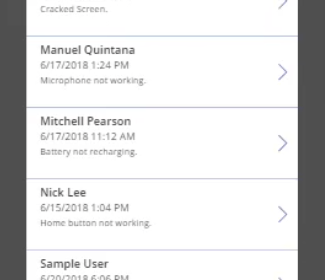
In this module you will learn how to use the PowerApps Custom Visual. The PowerApps visual allows you to embed line of business applications that

In this module you will learn how to use the Advance Card. The Advance Card is similar to the native Card but has many more

This month I continued my series with my friend Manuel Quintana [Blog | Twitter] as we guide you through some of our favorite Power BI

In this module you will learn how to use the Ring Chart by MAQ Software. The Ring Chart is similar to the native Donut Chart

In this module you will learn how to use the Text Wrapper by MAQ Software. The Text Wrapper allows you to display text that is

In this module you will learn how to use the User List by CloudScope. The User List by CloudScope is designed for showing a list

In this module you will learn how to use the Timeline by CloudScope. The Timeline by CloudScope is designed for showing twitter status updates, likes,

Mitchell Pearson, Brian Knight and myself will be presenting a full day pre-con as PASS Summit on Digital Storytelling with Power BI. You can learn

In this module you will learn how to use the Slim Data Bar KPI Visual. The Slim Data Bar KPI Visual is great for showing

This month I continued a new series with Manuel Quintana [Blog | Twitter] to help you stay on top of the latest Power BI features

In this module you will learn how to use the Tachometer. The Tachometer for communicating performance against a goal. Module 101 – Tachometer Downloads Power
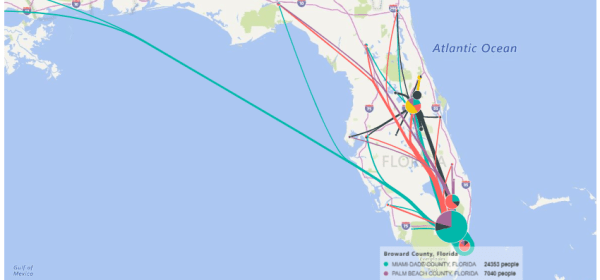
In this module you will learn how to use the Flow Map. The Flow Map is useful for tracking direction movement on a map. Module
 Devin Knight